
Note
Go to the end to download the full example code.
Open/save a raster#
This example demonstrates the instantiation of a raster through Raster and saving with to_file().
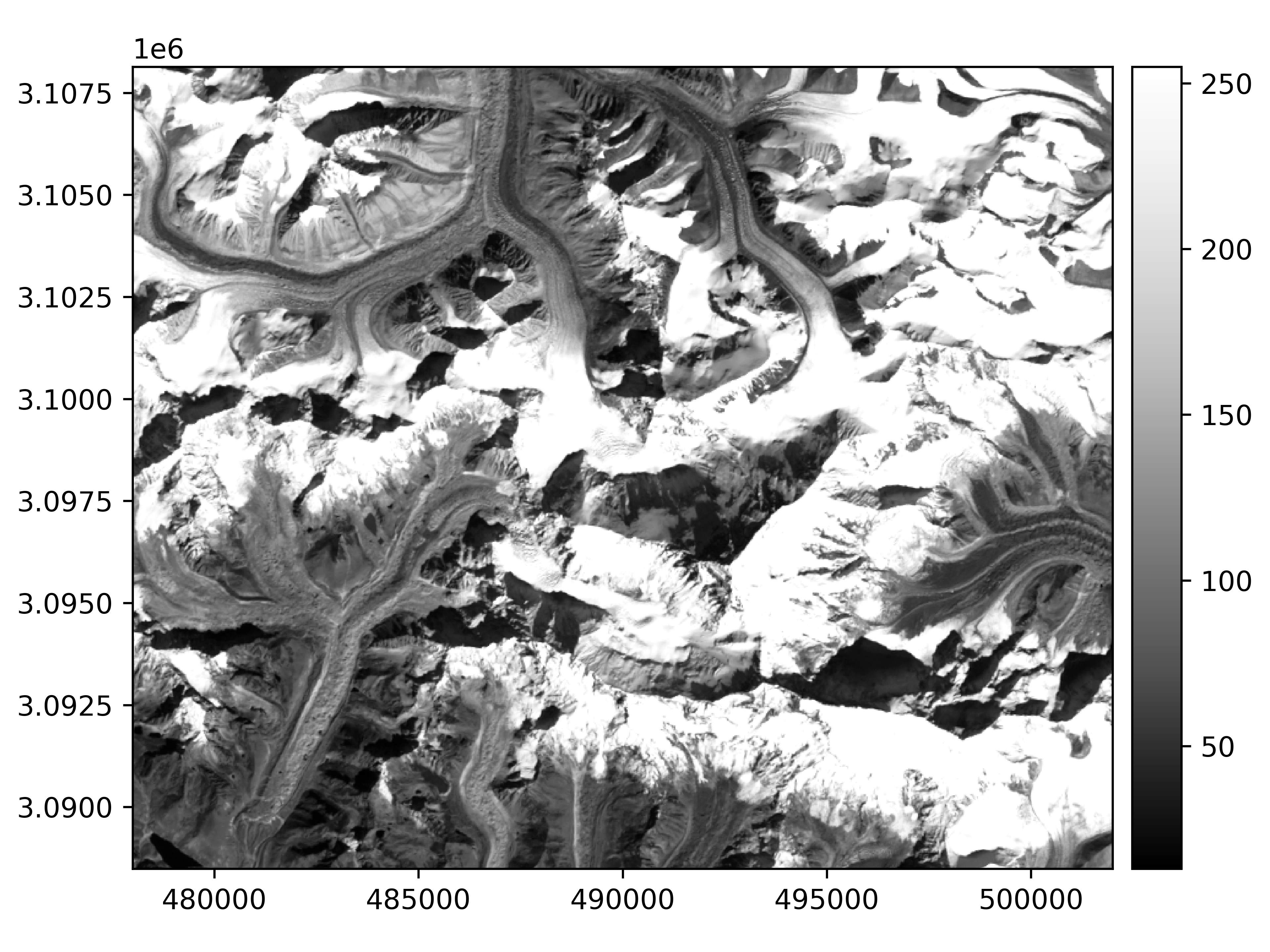
We open an example raster. The data is, by default, unloaded.
import geoutils as gu

filename_rast = gu.examples.get_path("everest_landsat_b4")
rast = gu.Raster(filename_rast)
rast
A raster is composed of four main attributes: a data array, an affine transform,
a coordinate reference system crs and a nodata value.
All other attributes are derivatives of those or the file on disk, and can be found in the dedicated section of the API. See also The georeferenced raster (Raster).
Note
A raster can also be instantiated with a rasterio.io.DatasetReader or a rasterio.io.MemoryFile, see From/to Rasterio.
We can print more info on the raster.
Driver:               GTiff
Opened from file:     /home/docs/checkouts/readthedocs.org/user_builds/adebardo-geoutils/checkouts/latest/geoutils/example_data/Everest_Landsat/LE71400412000304SGS00_B4.tif
Filename:             /home/docs/checkouts/readthedocs.org/user_builds/adebardo-geoutils/checkouts/latest/geoutils/example_data/Everest_Landsat/LE71400412000304SGS00_B4.tif
Loaded?               False
Modified since load?  False
Grid size:            800, 655
Number of bands:      1
Data types:           uint8
Coordinate system:    ['EPSG:32645']
Nodata value:         None
Pixel interpretation: Point
Pixel size:           30.0, 30.0
Upper left corner:    478000.0, 3108140.0
Lower right corner:   502000.0, 3088490.0
The data will be loaded explicitly by any function requiring its data, such as show().
rast.plot(cmap="Greys_r")
Opening can be performed with several parameters, for instance choosing a single band with index and re-sampling with downsample, to subset a 3-band
raster to its second band, and using 1 pixel out of 4.
The data is not loaded by default, even if when specifying a band or re-sampling.
We can load it explicitly by calling load() (could have also passed load_data=True to Raster).
Finally, a raster is saved using to_file():
rast.to_file("myraster.tif")
Total running time of the script: (0 minutes 0.525 seconds)