
Note
Go to the end to download the full example code.
Open/save a vector#
This example demonstrates the instantiation of a vector through geoutils.Vector and saving with save().
import geoutils as gu
We open an example vector.
filename_vect = gu.examples.get_path("everest_rgi_outlines")
vect = gu.Vector(filename_vect)
vect
A vector is composed of a single main attribute: a ds geodataframe.
All other attributes are inherited from Shapely and GeoPandas. See also The georeferenced vector (Vector).
Note
A vector can also be instantiated with a geopandas.GeoDataFrame, see From/to GeoPandas.
We can print more info on the vector.
Filename:           /home/docs/checkouts/readthedocs.org/user_builds/adebardo-geoutils/checkouts/latest/geoutils/example_data/Everest_Landsat/15_rgi60_glacier_outlines.gpkg
Coordinate system:  EPSG:4326
Extent:             [86.70393205700003, 27.847778695000045, 87.11409458600008, 28.14549759700003]
Number of features: 86
Attributes:         ['RGIId', 'GLIMSId', 'BgnDate', 'EndDate', 'CenLon', 'CenLat', 'O1Region', 'O2Region', 'Area', 'Zmin', 'Zmax', 'Zmed', 'Slope', 'Aspect', 'Lmax', 'Status', 'Connect', 'Form', 'TermType', 'Surging', 'Linkages', 'Name', 'geometry']
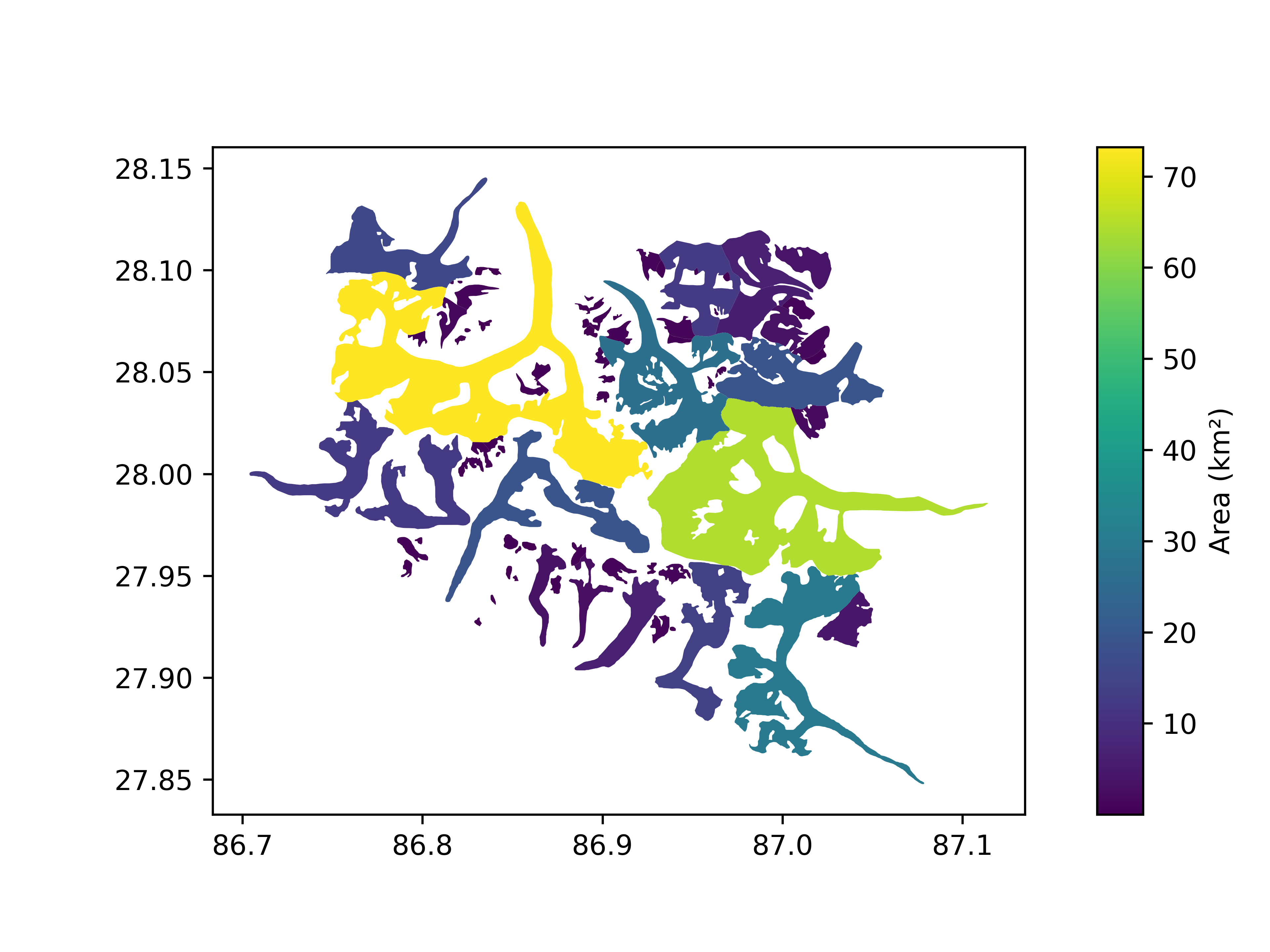
Let’s plot by vector area
vect.plot(column="Area", cbar_title="Area (km²)")
Finally, a vector is saved using save().
vect.to_file("myvector.gpkg")
Total running time of the script: (0 minutes 0.316 seconds)